 Tabivo
Made for Australian restaurants
Run the whole service from one screen.No per-cover fees, ever.
Bookings, floor plan, server tablets and kitchen in one system.Tabivo takes your online bookings, runs a live floor plan of your dining room, puts a tablet in every server's hand and sends orders to the kitchen. One system, so nothing gets lost between the host stand and the pass.
- Unlimited bookings
- Your brand, not ours
- Set up with you in about 2 hours
30 days free, no card needed. Plans from $29 a month. See how it works
Founding price for the first 10 restaurants on each plan. See pricing
New: Tabivo Discover
Not ready for a new system? Get listed free.
A free public profile for Victorian restaurants, with your photos, hours and a button to your own booking page. Checked by a person, with no ratings and no paid rankings. The directory opens on 1 December 2026.
Everything front-of-house, in one place
Stop switching between a booking app, a notebook and the POS. Tabivo follows a table from the booking to the server's tablet, the kitchen screen and the Square Terminal, with no per-cover fees.
Online bookings
A booking page in your own colours, fonts and layout that diners use without logging in. Share the link or add it to your own website. Tables are assigned automatically.
A live bookings table
The whole day in one table, with covers and status at a glance. Filter by service, seat or finish in one tap, and watch the timer turn amber and red when a table runs long.
A floor plan that looks like your room
Drag tables into place, rotate them, size them to the real thing, and draw walls, doors and zones. Then watch it live as tables fill up.
Operate plan
Ordering and kitchen display
Run a tab per table, walk-ins included, send courses to the kitchen in rounds, and route every item to the right station on a kitchen screen.
Operate plan
Square Terminal payments
Charge a tab straight to a paired Square Terminal. Tabivo checks live POS prices first, so you never charge a stale total.
Waitlist that fills itself
When a slot is full, diners can join a waitlist. The moment a table frees up, the next matching party is booked and emailed automatically.
Works with Square
Menu sync and Square Terminal payments
Billing by Stripe
Secure subscription billing and invoices
Built on Cloudflare
Runs on a global network, with no server to manage
Your guest list is yours. We never market to your diners.
See how it works
Follow one table through a night
From the booking to the bill, every step happens in Tabivo.
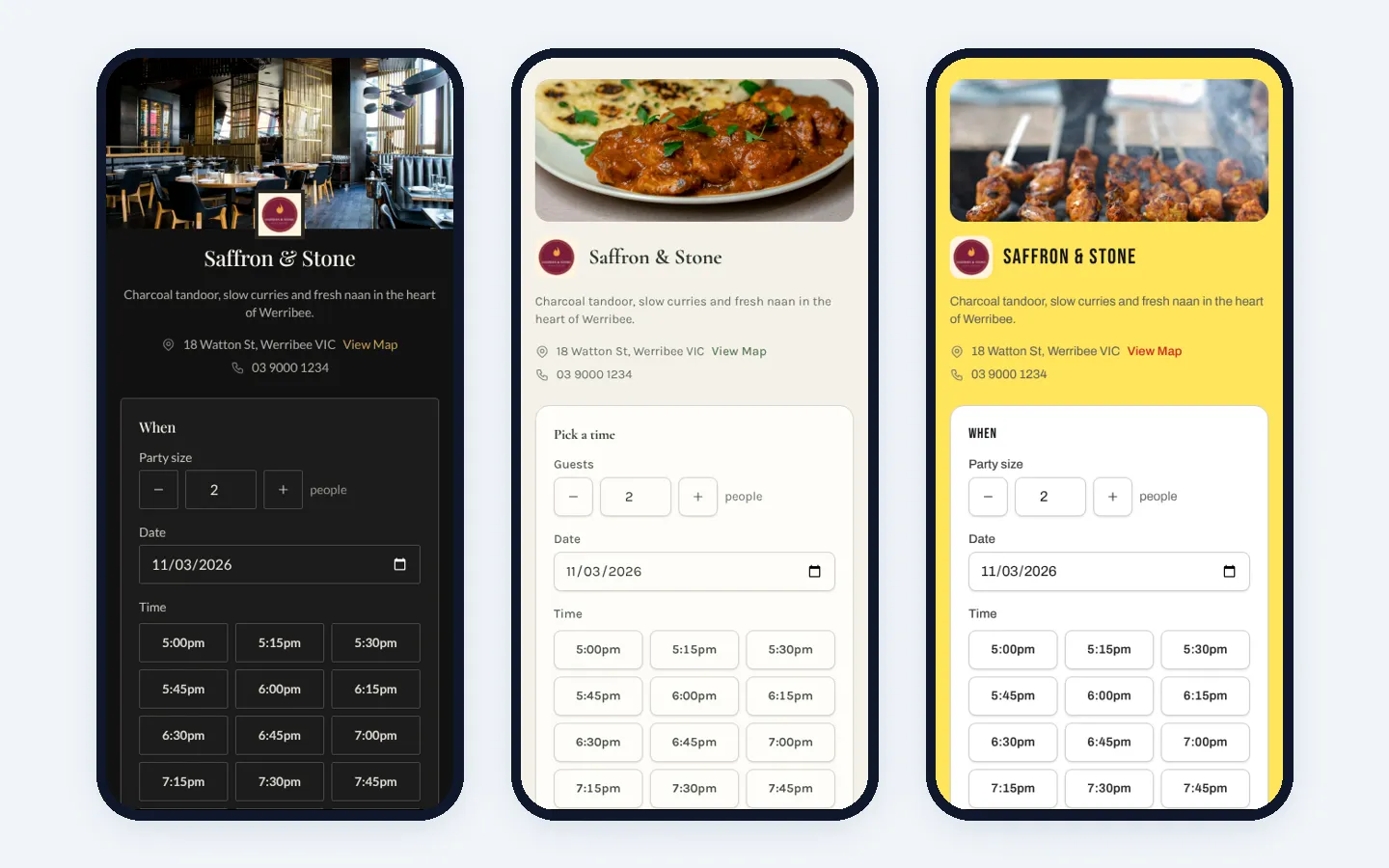
Step 1: Online booking
Your booking page, your brand
Diners pick a date, time and party size, and they're confirmed instantly. Start from a ready-made style, then choose your colours, fonts and layout so the page looks like your restaurant. It shows your logo, cover photo, map and opening hours, and has built-in spam protection.
More about online booking →Step 2: Floor status
See the whole room at a glance
Real table shapes and real chair counts, rotated to match your room. Hover a table for the guest's name, party size and notes, or tap an empty one to book it or seat a walk-in on the spot.
More about the floor plan →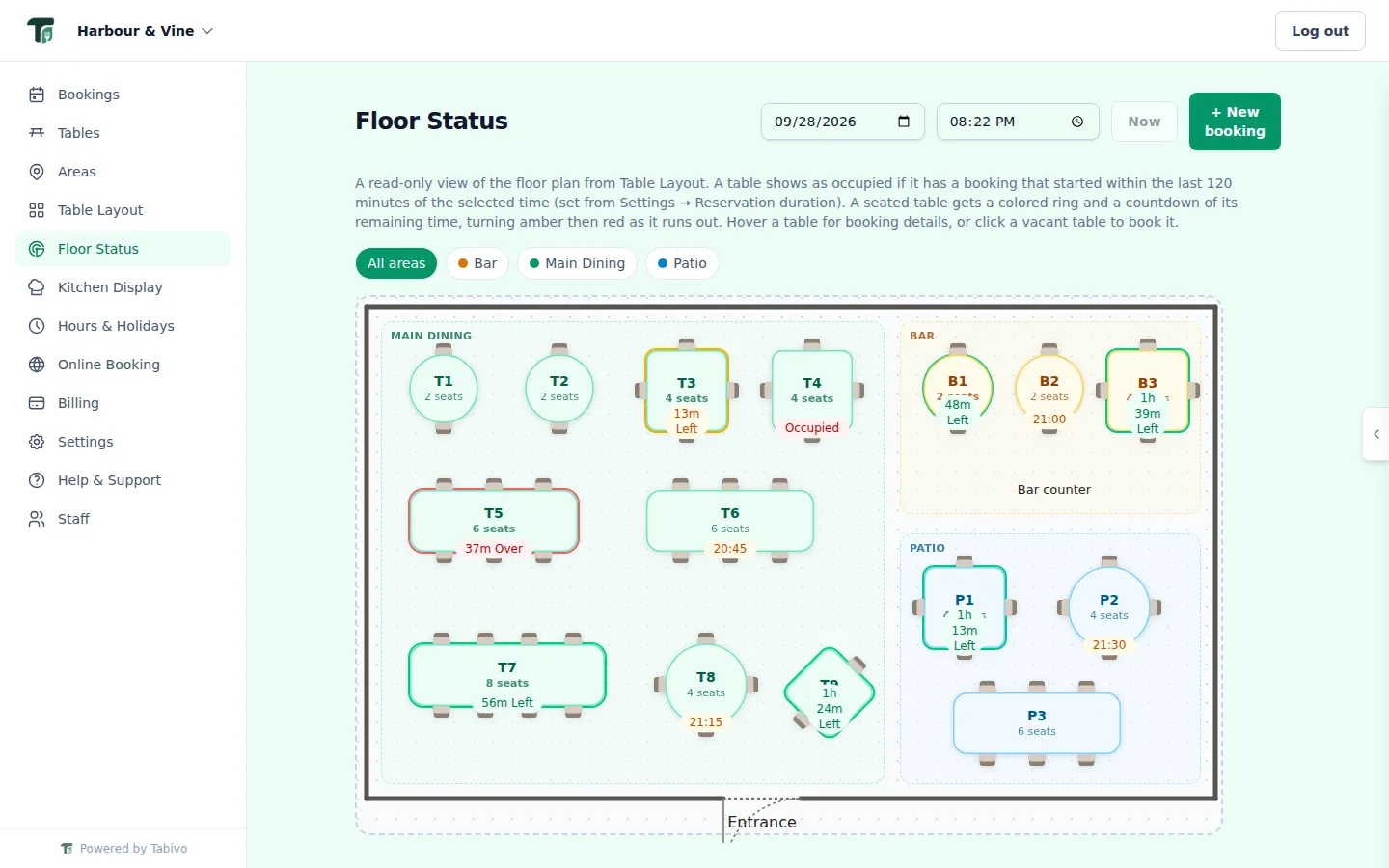
Step 3: Server ModeOperate plan
Every server gets their own tablet
Their tables, their orders, and a tap when food's ready. Servers sign in with a PIN, see the tables they're looking after with what needs doing first, and get a "T5 — 2 dishes ready" notice the moment the kitchen is done. At the end of a shift, they hand their tables to the next server in a couple of taps.
More about Server Mode →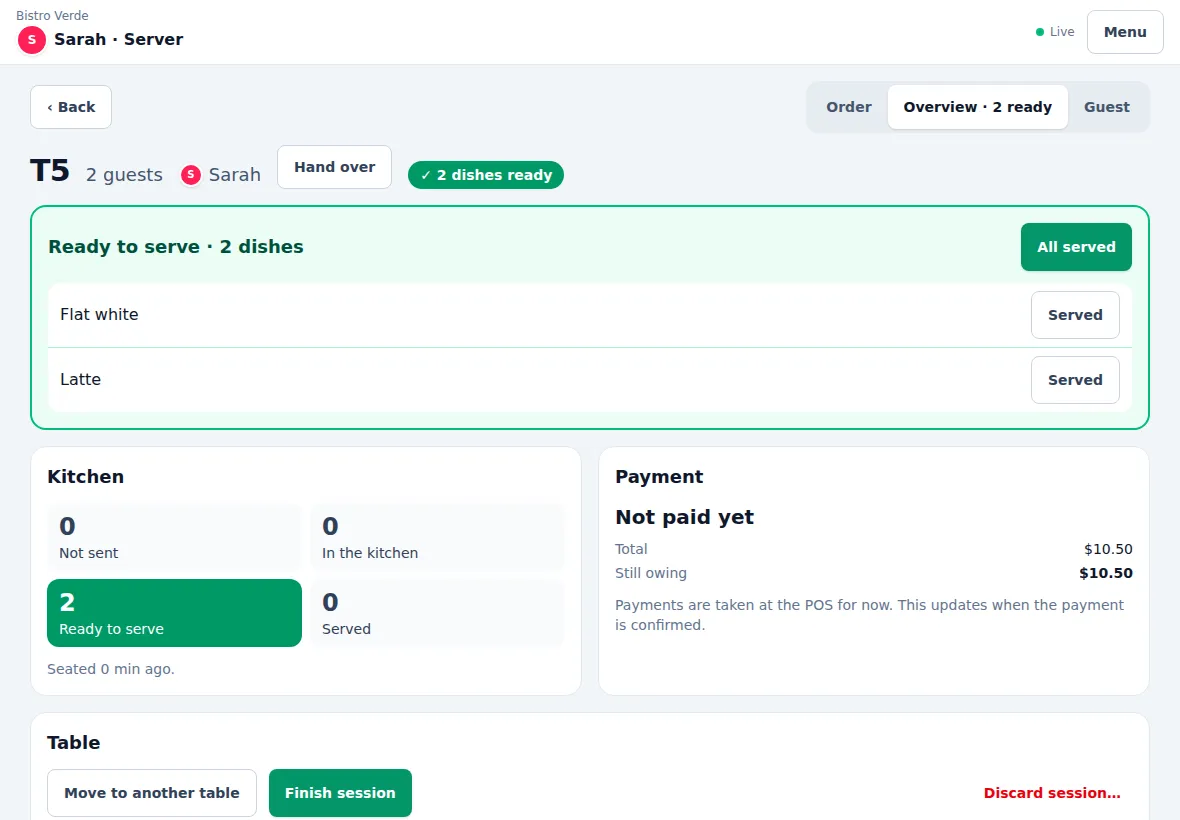
Step 4: Ordering and kitchenOperate plan
From the table to the pass
Take the order at the table and send it to the kitchen in rounds. Each item lands on the right station's screen, the pass sees every ticket with its timer, and a ticket turns green the moment it's ready to go. When the table's done, charge the tab to a paired Square Terminal.
More about the kitchen display →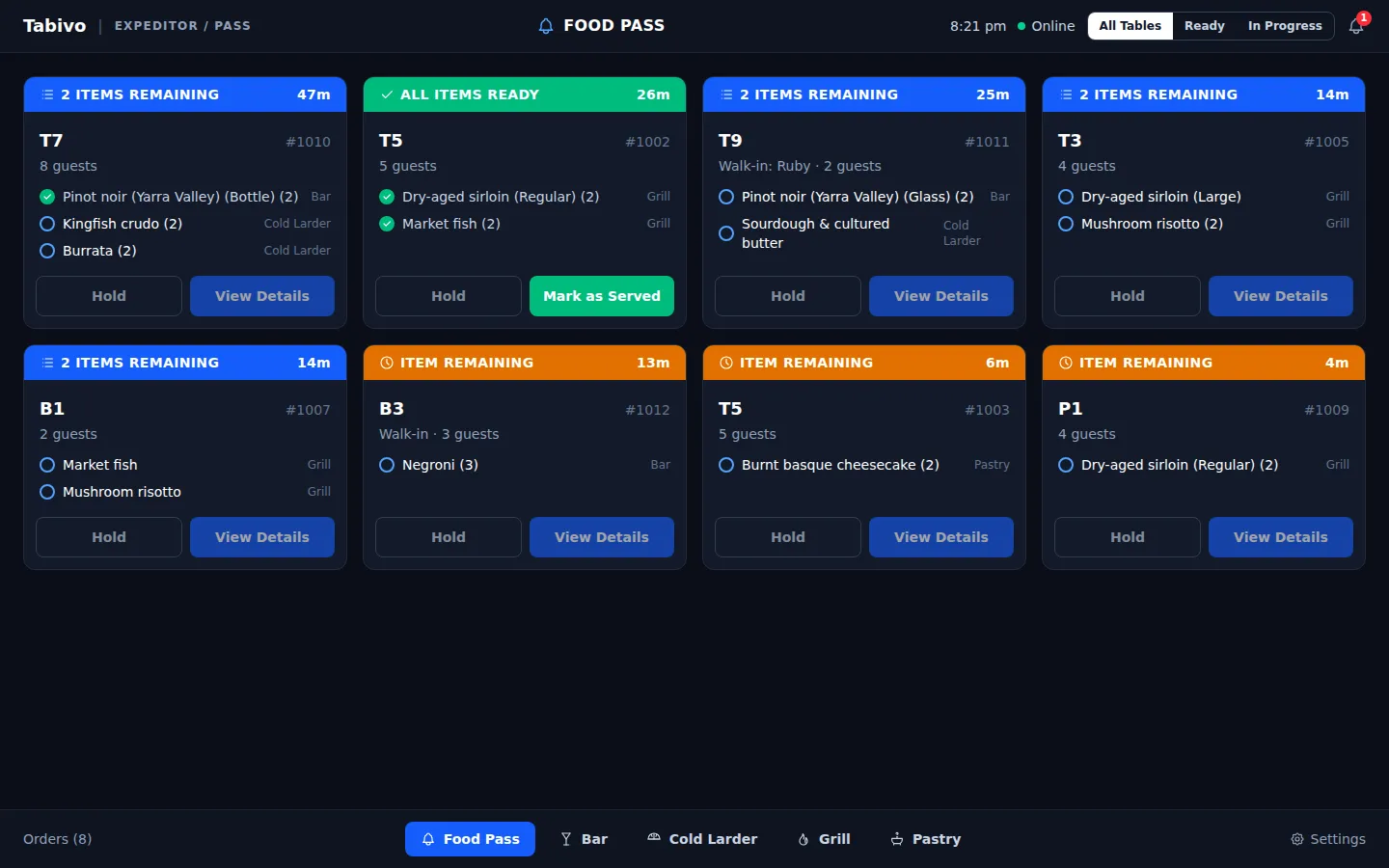
And all the details that matter on a busy night
- Branded confirmation emails, with a link diners use to change or cancel
- Lunch and dinner sessions, public holidays and one-off special hours
- Double-booking prevention, including bookings that run past midnight
- Multiple restaurants under one login
- Staff accounts that only show what staff need
- Paired kitchen screens that keep working through a Wi-Fi dropout
- Installs on an iPad at the host stand, no app store needed
- VIP and influencer guest tags with notes
- Help and support built into the dashboard
See Tabivo in action
We'll show you bookings, floor, server tablets and kitchen set up for a venue like yours, in about 20 minutes.
- No per-cover fees
- Unlimited bookings
- Set up in about 2 hours
- Month to month, no lock-in
30 days free on Reserve or Operate. No card needed.