 Tabivo
Everything Tabivo does
One system for the whole service, from the first booking to the server's tablet, the kitchen and the last table cleared.
Bookings
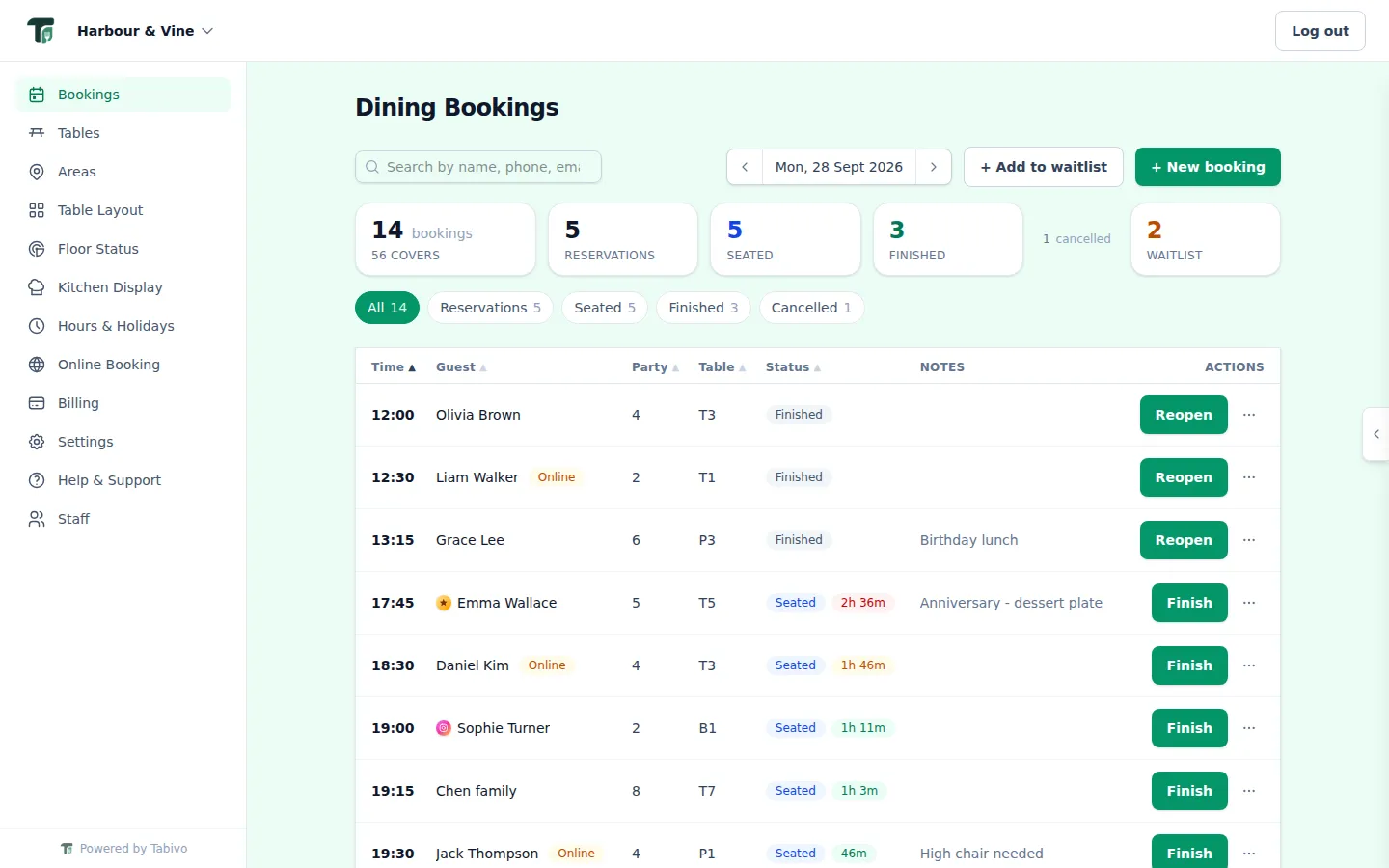
The whole day in one live table
- Every booking in one sortable table, with a clear status badge on each row
- Summary tiles for bookings, covers, reservations, seated, finished and the waitlist
- Filter by status or by service, like Lunch or Dinner, and search by name, phone or email
- Seat, finish or reopen in one tap, with everything else in a tidy actions menu
- Tap a booking to open its full details, notes and actions in a side panel
- A dining timer on every seated table, from green to amber to red, and late arrivals flagged
- Updates itself every 30 seconds, so every staff member sees the same thing
Online booking
A booking page for every restaurant
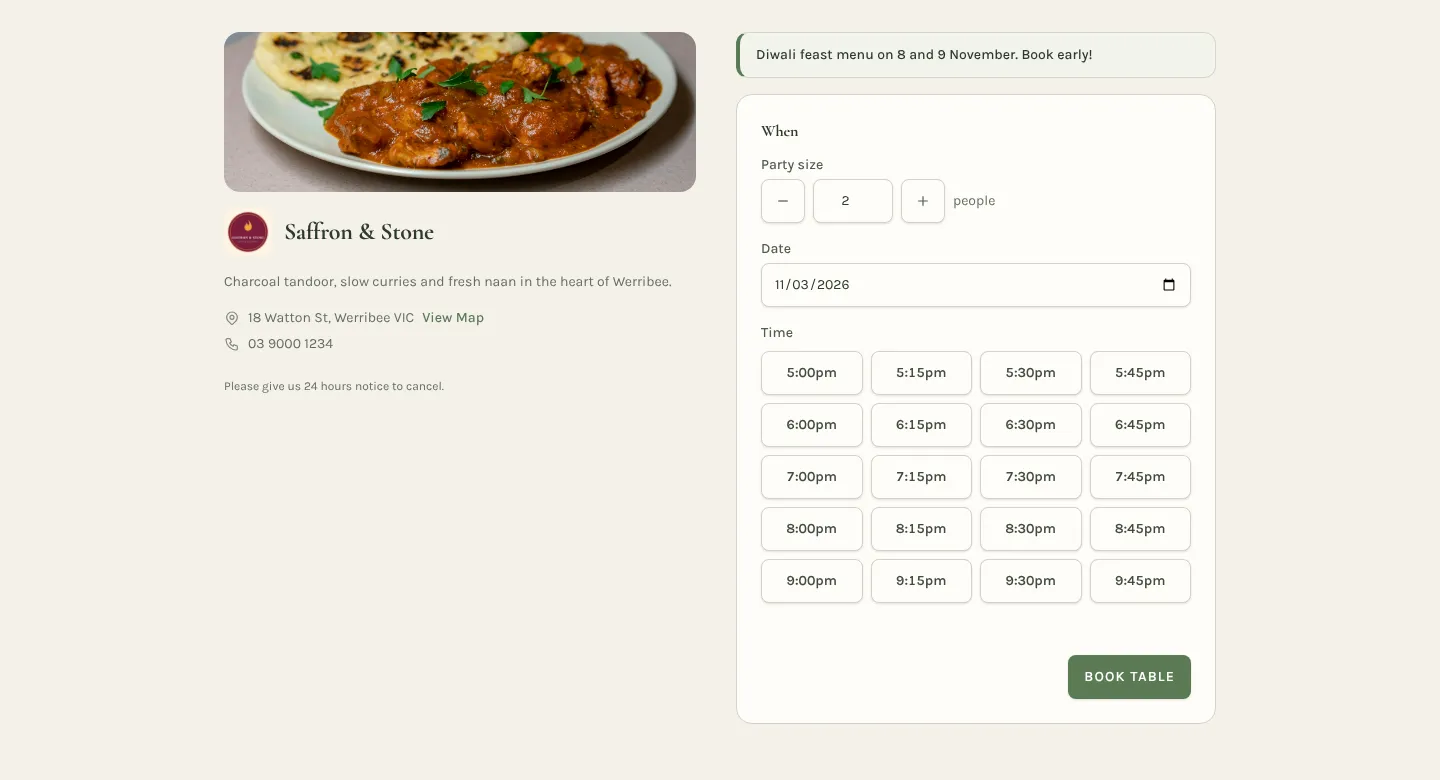
- Share a direct link, or add the booking form or a "Book a table" button to your own website
- Diners choose a date, time and party size. Tabivo picks the best table.
- Confirmed instantly and tagged "Online" in your bookings
- Your logo, cover photo, welcome message and an announcement banner
- Address, map, cuisine, policies and a live "Open until" status
- Invisible spam protection, with no puzzles for diners
- Diners can change or cancel from the link in their confirmation email
Booking page design
Make your booking page look like your restaurant
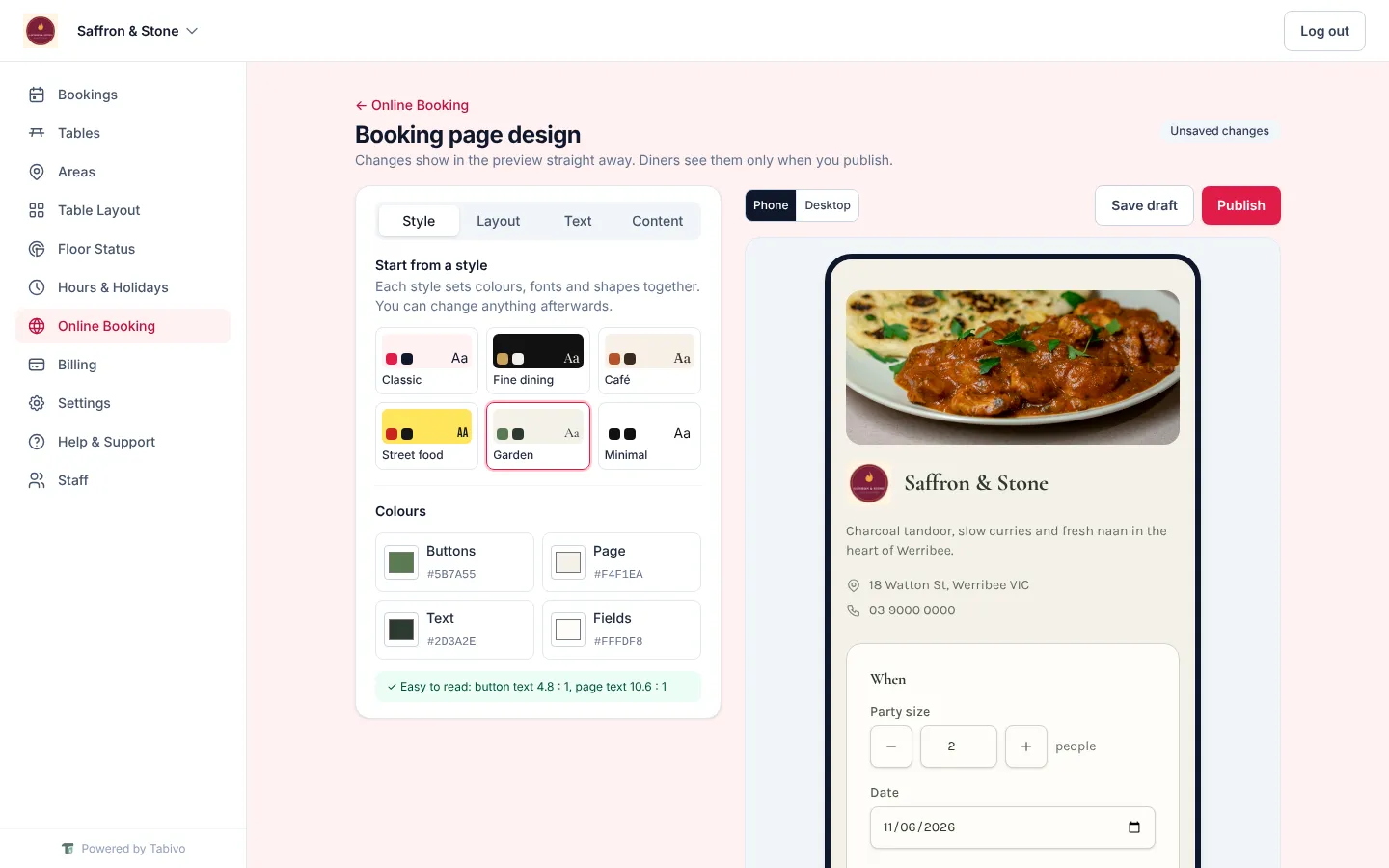
- Start from a ready-made style: Classic, Fine dining, Café, Street food, Garden or Minimal
- Pick your own colours for buttons, page, text and fields, with a check that everything stays easy to read
- Choose fonts for headings and text, with weight, spacing, size and capitals
- Five layouts: Classic, Hero, Centred, Split and Form only
- Plain, gradient, pattern or photo backgrounds, and sharp, soft, round or pill-shaped corners
- Use your own wording on the headings and the booking button
- A banner for set menus or closures that shows only on the dates you choose
- See every change on a phone and desktop preview, save a draft and publish when you're ready
- Confirmation emails pick up your colours and heading font too
Floor plan
Design your room, then run it live
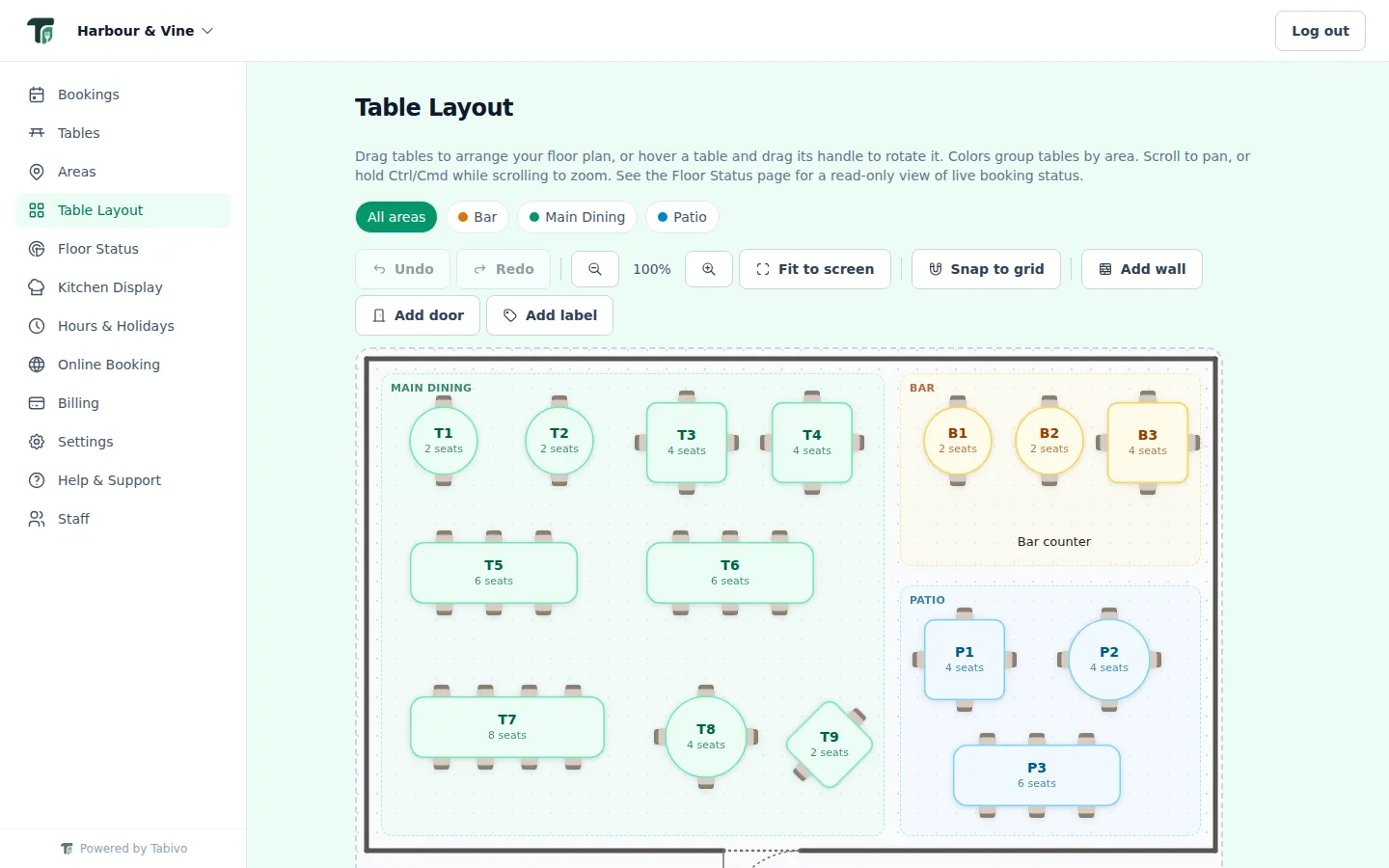
- Drag-and-drop designer with zoom, grid snapping, and undo and redo
- Round, square and rectangle tables with real chairs drawn around them
- Rotate and resize any table, round ones included, to match the real room
- Colour-coded areas like Patio, Bar and Main Dining, with drawn zones
- See every area at once with the optional "All areas" view
- Walls, doors and labels such as "Entrance" or "Kitchen"
- Live floor status: see who is seated and who is next, and tap an empty table to book it or seat a walk-in
- Walk-ins show up on the floor and the timeline too, not just bookings (on Operate)
- Optional: a day timeline showing every table's bookings from 11am to 11pm
Ordering and paymentsOperate plan
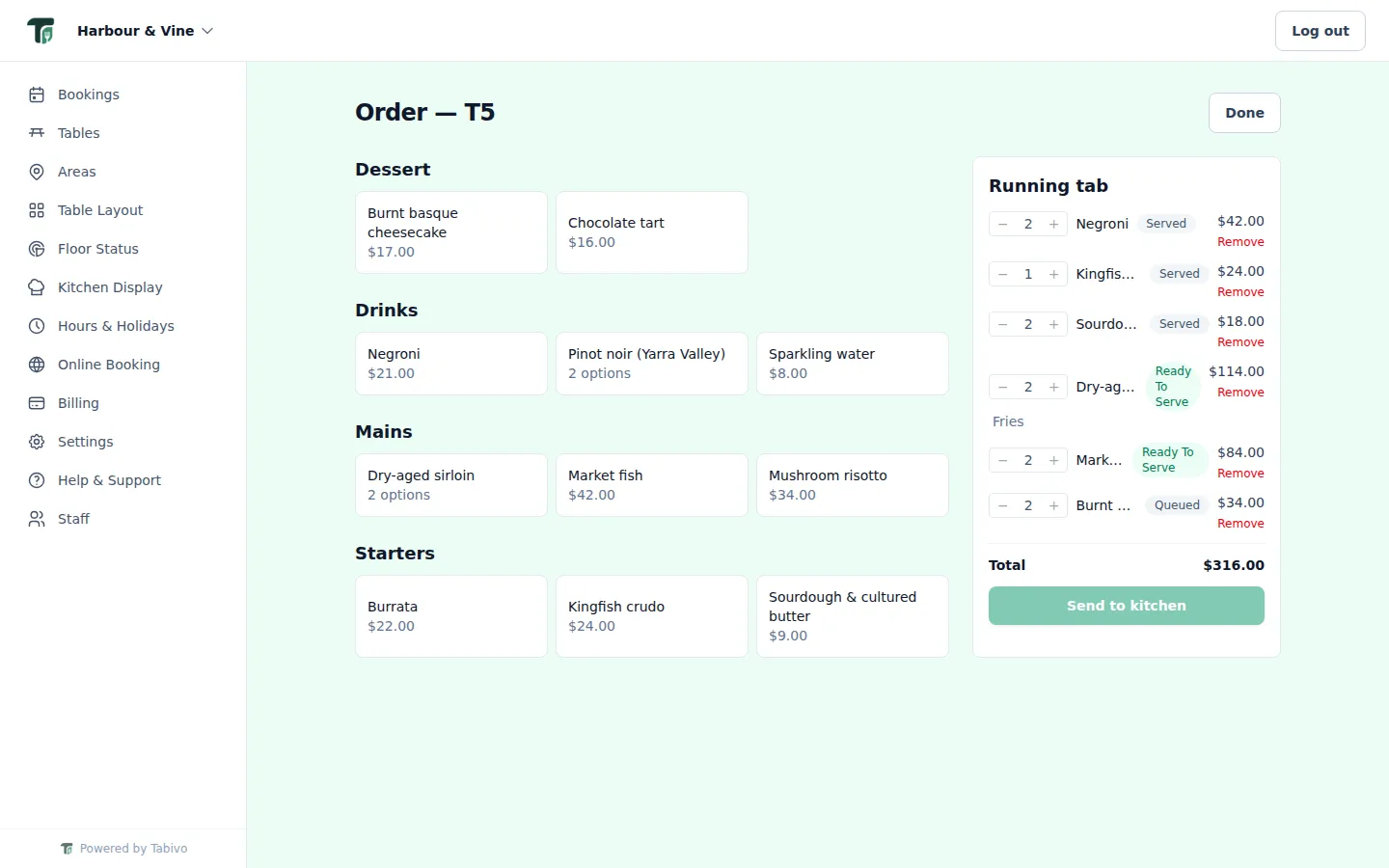
Take the order at the table
- Tap a table to open a tab, including walk-ins with no booking
- Add items with sizes and add-ons, and watch the total update live
- Send courses to the kitchen in rounds, and see each item go from queued to served
- Move a party to another table without losing their tab
- Menu synced from Square, or built from a CSV upload if you don't use a POS
- Charge a tab to a paired Square Terminal, with a live price check first
Server ModeOperate plan
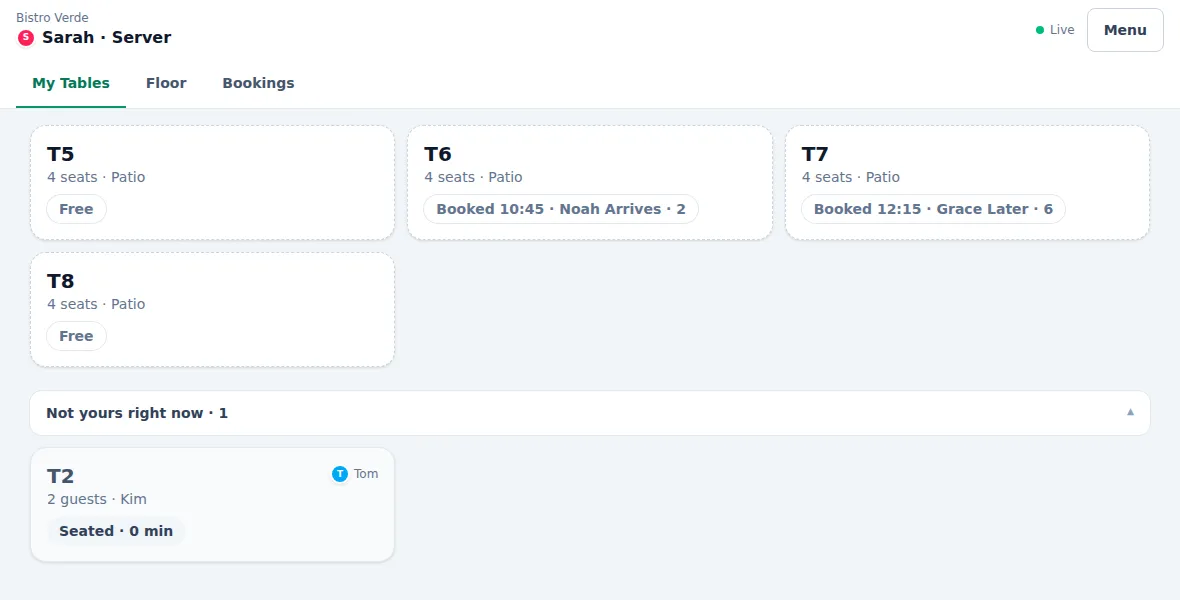
A tablet for every server
- Servers sign in on a shared tablet with their name and a PIN. No email account needed.
- My Tables shows the tables they're looking after, each leading with what needs doing: dishes ready, food in the kitchen, items not sent or payment
- One "T5 — 2 dishes ready" notice when the kitchen is done, then Served or All served right from the table
- Take the order at the table and send it to the kitchen (with table ordering). The tablet shows what's paid and owing; payment is taken at the POS.
- The live floor, today's bookings and a timeline of the service, with other servers' guests muted
- Any server can help on any table, and every item records who actually added it
- Hand a table over with Undo, take an unassigned one, or hand over everything at the end of a shift
- Managers set who usually looks after each table, and see every server's tables, guests and dishes ready on the Service Overview
- Locks itself when left idle, and keeps the last screens through a Wi-Fi dropout
- Installs on an iPad or Android tablet as its own Tabivo Server app
Kitchen displayOperate plan
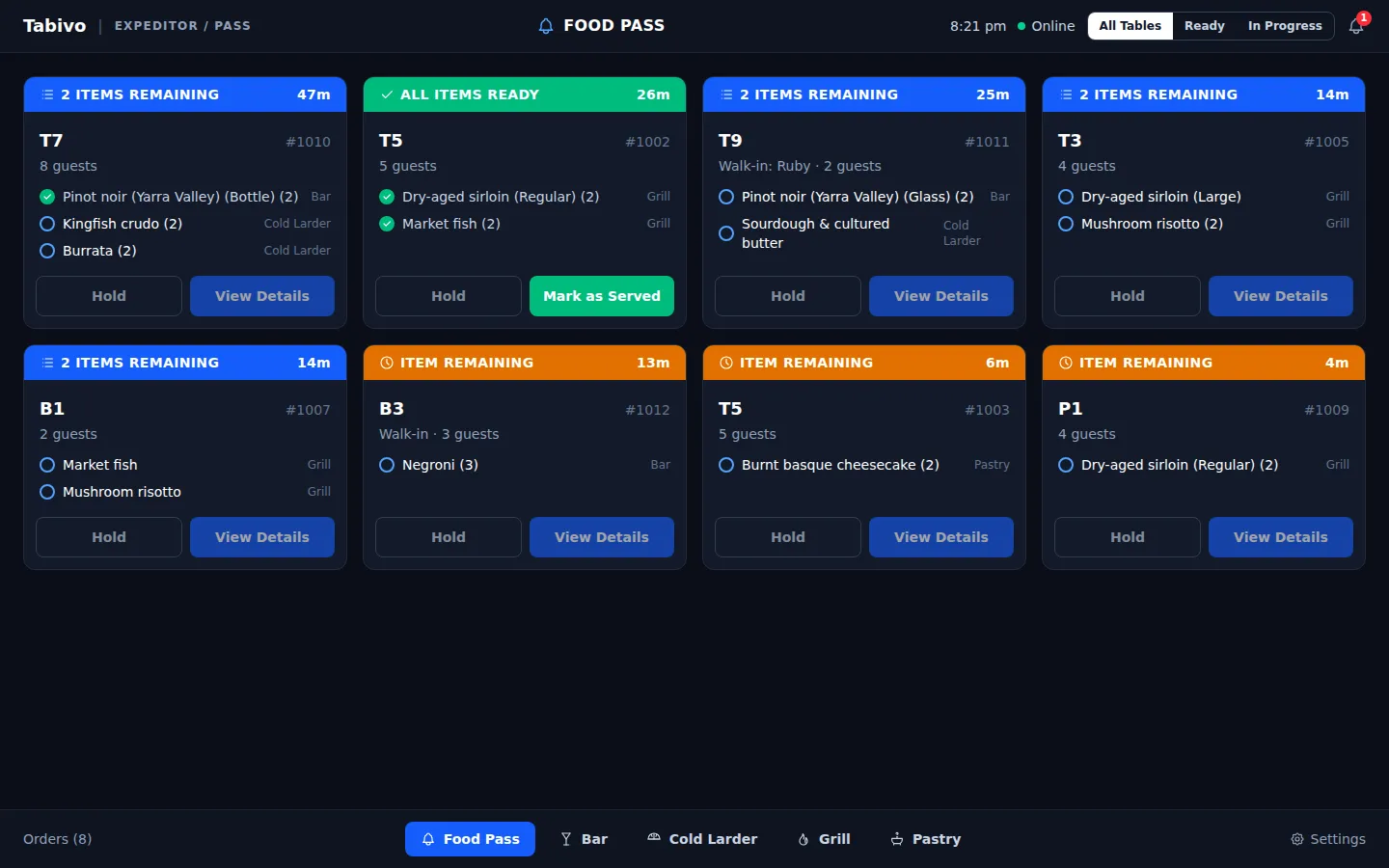
Every ticket, at the right station
- Your own stations, like Grill, Cold Larder, Pastry and Bar, plus an expo view for the pass
- Routing rules send each category or item to the right station automatically
- Every ticket shows its table, guests and a running timer
- Tickets change colour when every item is ready, so nothing sits on the pass
- Pair a kitchen screen with a short code. No staff login on the device.
- Paired screens keep working through a Wi-Fi dropout: taps are saved and sync once it's back
- Works with or without a POS
Hours and availability
Your hours, enforced everywhere
- Weekly hours, split into sessions like Lunch and Dinner
- Public holidays suggested for your region, closed or open in one click
- One-off overrides for events, early closes or late nights
- Control how far ahead diners can book
- Real overlap checks stop double bookings, even past midnight
- A waitlist that books the next matching party the moment a table frees up
Team and business
Built for one venue or a group
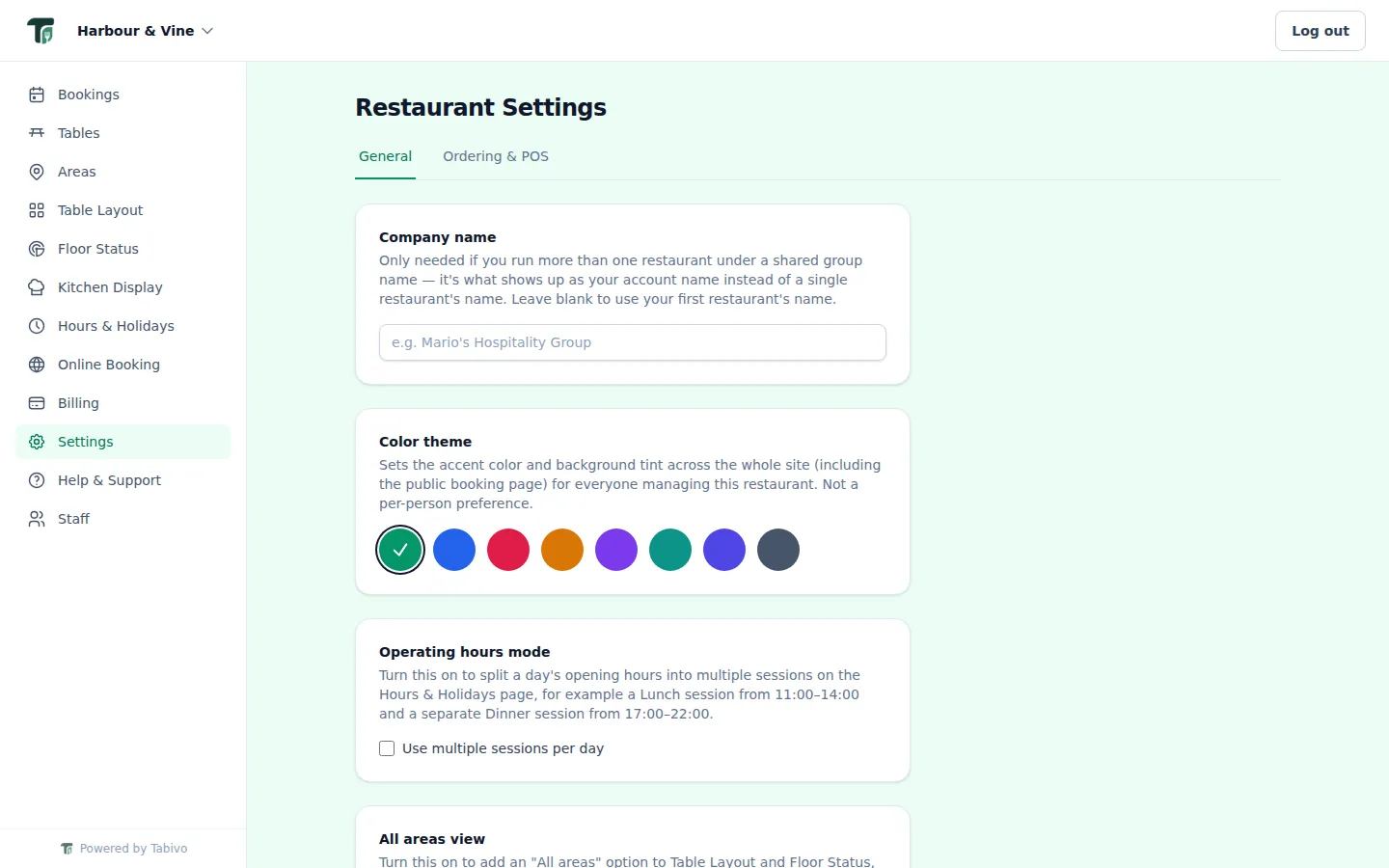
- Run several restaurants under one login and switch instantly
- Staff accounts see bookings and the floor, not your settings or billing
- Branded emails for confirmations, changes and cancellations
- If an email fails to send, staff see it on the booking with a Resend button
- Optional: VIP and influencer tags with notes, visible everywhere staff look
- Install on an iPad or Android tablet like an app, always up to date
- Help and support tickets, right inside the dashboard
Looking for something specific?
On the way
SMS reminders, split bills, more POS providers and guest profiles that remember regulars.
See it set up for your venue
We'll show you bookings, floor, server tablets and kitchen set up for a venue like yours, in about 20 minutes.
- No per-cover fees
- Unlimited bookings
- Set up in about 2 hours
- Month to month, no lock-in
30 days free on Reserve or Operate. No card needed.