 Tabivo
Kitchen display system
A kitchen display that keeps the pass moving
Orders taken at the table go straight to the right station's screen. Cooks see what to make, expo sees tables come together, and nobody chases paper dockets.
The kitchen display is part of the Operate plan ($79 a month per restaurant), with table ordering.
30 days free, no card needed. See all features
Every item at the right station
Set up the stations your kitchen really has, like Grill, Fryer, Bar or Pastry. Routing rules send each category or item to the right screen the moment it's sent, and anything without a rule still arrives rather than getting stuck.
Tickets that say how long
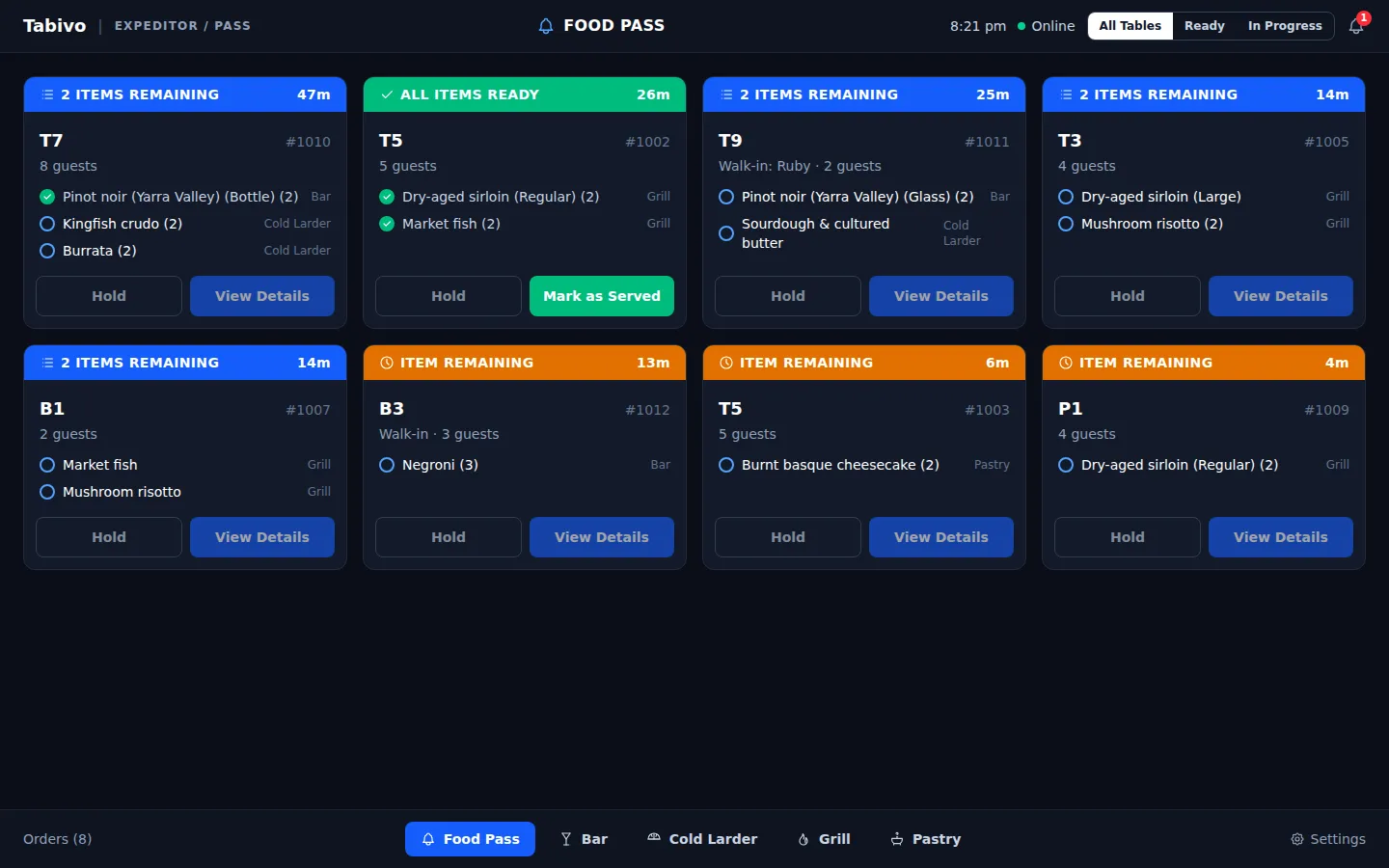
Each round is its own ticket with its table, party size and a running timer. New is cyan, Preparing amber, Ready green, and a ticket running too long gets a LATE marker. You set what "too long" means.
An expo view for the pass
Expo sees every ticket across stations. Items tick off as they're ready, and a table's card completes the moment its last dish is done, so food doesn't sit waiting.
Keeps working through a Wi-Fi dropout
A cook's tap is applied on screen straight away and synced when the connection is back, in order and never twice. The screen always says how current it is.
Pair any screen with a code
Turn a tablet or screen with a modern browser into a kitchen display with a short pairing code. No staff login on the device, and a lost screen can be disconnected straight away.
Calm by design
Changes are marked on the line that changed, voided items stay visible for two minutes, and the new-order chime is optional per screen. Nothing flashes for no reason.
Common questions
Do I need a POS to use the kitchen display?
No. The kitchen display runs on Tabivo's own orders. Sync your menu from Square, or upload it from a spreadsheet if you don't have a POS connected.
What hardware do I need in the kitchen?
Any tablet or screen with a modern web browser. Pair it once with a short code from Settings.
How do orders get to the kitchen?
Staff take the order at the table with Tabivo table ordering and send it in rounds, like drinks, then mains, then dessert. Each round becomes its own ticket.
Also in Tabivo: Moving on from Quandoo · Restaurant booking system with no per-cover fees · Waitstaff ordering tablet
See Tabivo in action
We'll show you bookings, floor, server tablets and kitchen set up for a venue like yours, in about 20 minutes.
- No per-cover fees
- Unlimited bookings
- Set up in about 2 hours
- Month to month, no lock-in
30 days free on Reserve or Operate. No card needed.